A pleasant walk through computing

Comment for me? Send an email. I might even update the post!

Basic Daily Git Commands, including "Rebase is Good"

These are the commands I use on a daily basis. Hopefully this helps explain and put to rest the fear of rebase.

I have aliases for these that mostly came from Phil Haack.

The below commands assume your mainline branch is named 'main'. Adjust accordingly if it's called 'master,' 'trunk', etc.

# Start day getting latest
git checkout main
# Create a new branch
git checkout -b features/my-feature
# work for a half hour
git add -A
git commit -m "Did some work"
# push branch to remote in case I die
git push --set-upstream origin features/my-feature
# work another couple of hours, occasionally syncing to remote
# (one liner)
git add -A && git commit -m "Did some other work"
git push
# ready to submit PR. I want my code to be *after* the latest, so . . .
git checkout main
git pull [gets latest changes]
git checkout feature/my-feature
git rebase main
# deal with any merge conflicts, then squash and force push
git rebase main --interactive [I squash all commits into one]
git push --force
# I'm done. Create the pull request.

Q&A

Isn't rebase bad and you should never ever do it because everyone says so?

No. Rebase is good and you're listening to the wrong people. It's what significantly reduces merge conflicts in your pull requests. What's bad is not understanding what rebase does and what problems it could cause.

When rebasing onto main, you're saying, "If I merge my changes into main now, they'll be in the middle of what's already committed. I want them at the end. So take my changes and apply them to the end of main as if I just made them."

From Git's point of view, these are new commits, so they get new file hashes. That's why you have to force-push them, overwriting the remote branch.

This is OK as long as:

  1. You do not ever rebase main onto a branch and then push main.
  2. If someone else is working on your branch with you, you tell them to git pull --force.

The first one you should never, ever even think of doing. The second one is rare because developers tend to work indepedently on short-lived branches.

When it comes to merge vs rebase, the directions of change are always:

Merge from branch into main. Rebase branch onto main.

When you "merge from", you start in main. When you "rebase onto" you start in the branch.

What about merge conflicts?

That's a whole other topic. What matters is using a good diff/merge tool. The one I use, KDiff3, is really old but I like it best.

Professional Development Fundamentals

The one thing missing from this guide right now is tracking work in an Agile way. I plan to add that later.

Contents

Local Development Cycle

Release small often

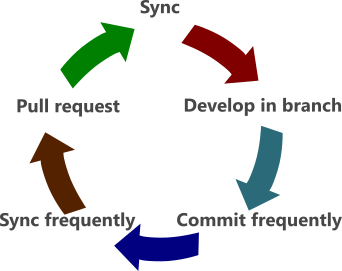
  1. Pull and rebase latest code from mainline.
  2. Work from a short-lived feature branch.
  3. Unit test, frequently commit locally, push feature branch when it passes tests.
  4. Integrate latest mainline locally, run private build/tests, push.
  5. Final push, create a pull request.

Pull Requests and Code Reviews

No unreviewed code

  • Another developer reviews the PR (code review)
  • PR merges into mainline

Continuous Integration

Build once, deploy-to-many

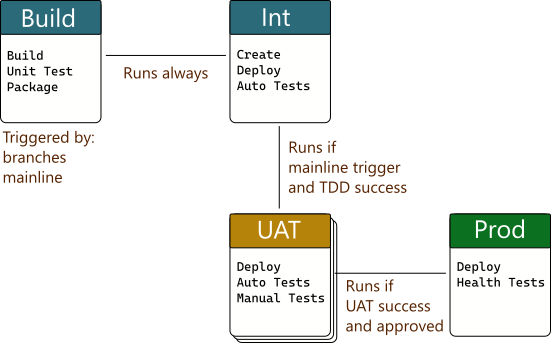
  • CI Server is triggered by source control changes.
  • Build Triggered by mainline and feature branch changes. Build in clean environment, run unit tests, create deployment package.
  • Integration Always runs and fully automated. Environment is created and deployed to from scratch. Automated integration tests run. Jeffrey Palermo calls this the TDD stage.
  • UAT There are many kinds of UAT environments: QA, user acceptance, security, performance. Runs if mainline changes and Integration succeeds. Existing environments deployed to. Some automated testing.
  • Prod Runs if UAT succeeds and deployment is approved. Existing environment deployed to. Some automated smoke testing. Can require approval.

Aspects of quality code

Code is never finished

  • Loosely coupled Dependencies are reduced. See SOLID, DRY, YAGNI.
  • Complexity reduced Packages, classes, methods have one purpose.
  • Tested early Unit testing reduces defects and improves architecture. See TDD.
  • Reviewed Code reviews improve quality and share knowledge.
  • Clearly named Naming (of classes, methods, variables) is hard and important.
  • Self-documenting What the code does should be obvious. Comment why the code does what it does, when not obvious.
  • Properly versioned Harder than it seems. See Semantic Versioning and your language's package peculiarities.
  • Maintanable and replaceable No code lasts forever. Design for change.

Capabilities of high-performing software teams

A couple of principles can guide making lots of better decisions.

  1. Reduce friction to doing the right thing
  2. Do all the steps

Here are the 24 capabilities of high-performing software organizations from the DORA group's meticulous, evidence-based research.

Capability (and desired result)
CONTINUOUS DELIVERY CAPABILITIES
01 Version control
02 Deployment automation
03 Continuous integration (CI)
04 Trunk-based development
05 Test automation
06 Test data management
07 Shift left on security (put first, make easy)
08 Continuous delivery (CD)
ARCHITECTURE CAPABILITIES
09 Loosely coupled architecture
10 Empowered teams
PRODUCT AND PROCESS CAPABILITIES
11 Customer feedback
12 Value stream mapping
13 Working in small batches
14 Team experimentation
LEAN MANAGEMENT AND MONITORING CAPABILITIES
15 Change approval processes (lightweight, not external)
16 Monitoring
17 Proactive notification
18 WIP limits (limit work-in-progress)
19 Visualizing work (public Kanban boards)
CULTURAL CAPABILITIES
20 Westrum organizational culture (Generative)
21 Supporting learning
22 Collaboration among teams
23 Job satisfaction
24 Transformational leadership

The Four Key Metrics

How do you know you're succeeding?

Again, from the DORA group.

  • Deployment Frequency How often an organization successfully releases to production
  • Lead Time for Changes The amount of time it takes a commit to get into production
  • Change Failure Rate The percentage of deployments causing a failure in production
  • Time to Restore Service How long it takes an organization to recover from a failure in production

Resources

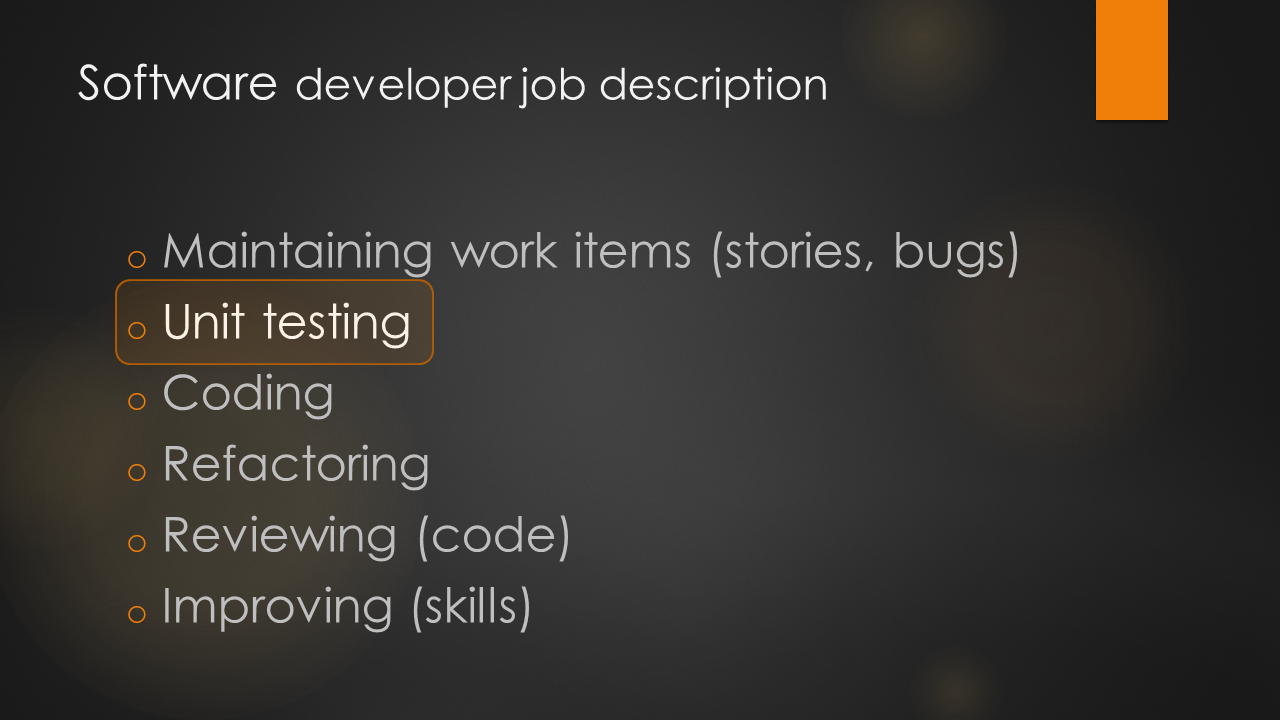
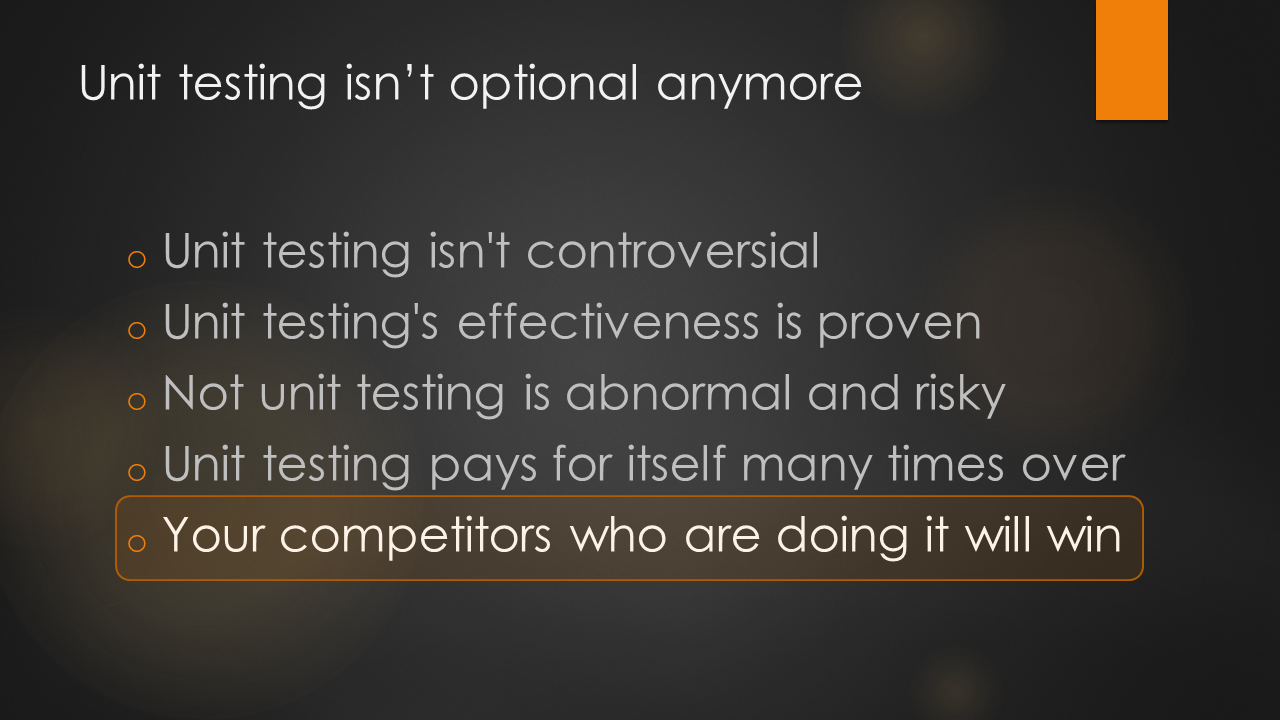
Unit Testing is Part of a Developer's Job Description

The debate over unit testing's value is over. Twenty-plus years of evidence in software development, and decades more than that in other fields, proves that inspecting for quality early is superior to doing it late.

Whether to unit test shouldn't even be a discussion.

Here's a short and sweet slide deck on the subject.

Unit Testing Slide Deck PowerPoint